GiveMeData turns Instagram into lead lists. You describe the people you want or point at an audience you know, and you get back profiles with their bio, counts, category, location and the public contact details they list. This walkthrough covers each tool and when to use it.
Which tool for what
| What you want to do | Tool | Credits |
|---|---|---|
| Describe your customer and get a list | IG Leads Guru | 500 per new profile found, +200 per email found |
| Filter profiles we have already indexed | Records Search | Search free; 200 per unlock, +200 per email found |
| Find people commenting or liking in your niche | Engagement Analysis | 15 per commenter, 1 per liker |
| Start from a brand your customers follow | Audience Export | 1 per account |
| Fill in bios and contacts for usernames you have | Bulk Profile Enrichment | 25 per profile |
1. Sign up
Sign up free: no card needed. Planning a search with the Guru is free too. Running searches and exports uses credits, which come with every paid plan: Starter ($19 a month, 150,000 credits), Pro ($49, 500,000) and Business ($149, 2,000,000). Unused plan credits roll over, and on a paid plan you can top up with credit packs from $10 that never expire. Details on the pricing page.
2. Describe who you want to IG Leads Guru
Open IG Leads Guru and type your request the way you’d say it to a colleague:
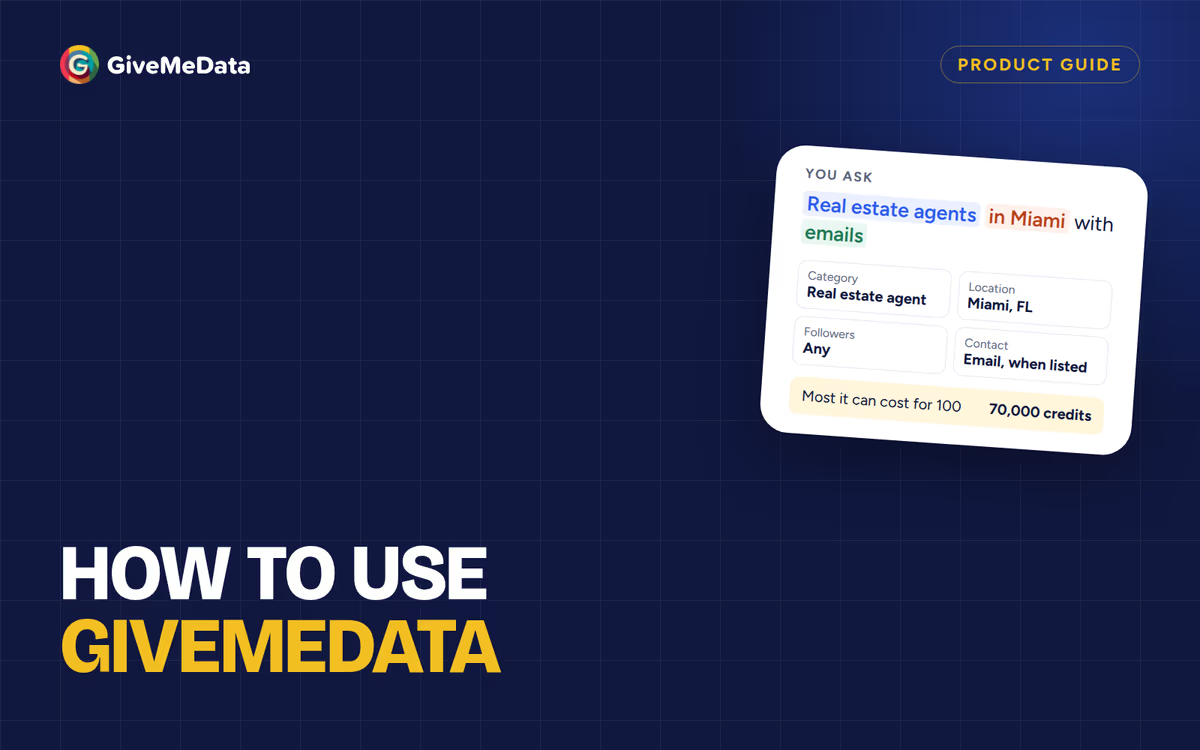
- “Real estate agents in Miami with emails”
- “Dentists in Texas with 1K+ followers”
- “Wedding photographers in London with emails”
The Guru turns it into filters (category, location, follower range, contact details), and you can change any of them. It checks the profiles we have already indexed first, then searches Instagram live for the rest. Before anything runs you see the most it can cost:
- A new profile found live costs 500 credits.
- An email adds 200 and a phone 600, charged only when we find one.
- Whatever the search doesn’t use goes back to your balance.
For example, 100 profiles with emails cost at most 70,000 credits ($6.86 on Pro, $8.87 on Starter): 100 × 500 for the profiles plus 100 × 200 if every one of them lists an email.
3. Filter what’s already indexed with Records Search
Records Search is a table of Instagram profiles we have already indexed. Filter by niche, location, follower range and whether a profile lists an email or phone. Searching and counts are free; you unlock the profiles you want at 200 credits each, plus 200 for an email and 600 for a phone when found. Your team never pays twice for the same profile.
4. Find people engaging in your niche with Engagement Analysis
People who comment on posts in your niche, asking about prices, availability or how something works, are often ready to buy. Engagement Analysis lists who commented (15 credits each, with their comment) or liked (1 credit each, up to 2,000 per post) on a post or on a profile’s recent posts. How to use it with competitors’ posts: find your competitors’ customers on Instagram.
5. Start from a brand your customers follow with Audience Export
When there’s an account your customers clearly follow, such as a local association or a supplier they all buy from, Audience Export lists the public accounts that follow it: 1 credit per account, up to 1,000,000 per job, or up to 100 source accounts in one CSV. Each row has the username, name, avatar, and verified and private flags. It works best with small, focused accounts. Instagram shows only 50 followers of a verified account, so lists from verified accounts stop at 50.
6. Fill in profile details with Bulk Profile Enrichment
Already have usernames, from an export or your own sheet? Bulk Profile Enrichment adds bio, follower, following and post counts, category, account type, city, website, verified status, and the public email and phone each profile lists: 25 credits per profile, refunded if not found.
7. Put it on a schedule
Scheduled Automations runs follower, following, likers, commenters, hashtag and location exports on a schedule, from hourly to monthly, with a cap on results per run.
8. Download and use your list
Downloads are free. Exports from Audience Export, Engagement Analysis, Bulk Profile Enrichment and schedules come as CSV, Excel or JSON; Guru and Records lists come as CSV. Files stay available for 30 days. On Pro and up, send results to your own tools with webhooks and the developer API.
Then put the list to work:
- Instagram cold DM outreach
- Find Instagram business emails for cold email
- How to find customers on Instagram
- Find your competitors’ customers on Instagram
- Growman vs GiveMeData
Ready to try it? Sign up free and plan your first search with the Guru.
Questions
Is there a free plan?
Yes. Signing up, planning searches with the Guru, and searching Records are free. Running searches and exports needs credits from a paid plan.
Does it work with other platforms?
No. GiveMeData works with public Instagram profiles only.
Where does the contact information come from?
From the contact details each profile lists publicly on Instagram. If a profile hasn’t listed an email or phone, there’s none to add.